

Bluetooth Hearing Aids
June 26, 2026 Transitioning to Bluetooth hearing aids can bring both relief and uncertainty: the convenience of hearing phone calls more clearly is appealing, but the process of pairing devices and managing settings can feel unfamiliar.
For many years, hearing aids focused primarily on amplifying sound. Today, they have evolved into highly capable communication tools that help you interact with your environment in new ways. Modern hearing aids can also function as wireless headphones, connecting you directly to your favorite devices and daily activities.
If you are exploring hearing aids or have just started using them, you’ve probably encountered the term “Bluetooth.” But knowing that Bluetooth exists is quite different from understanding how it impacts your everyday life.
This guide provides clear, step-by-step support on Bluetooth hearing aids—how they work, how to set them up, and how to troubleshoot when things don’t go perfectly—so you can move past technical worries and experience the benefits of easier, more personalized hearing.

Understanding the Technology: How Bluetooth Hearing Aids Work
Knowing a bit about the underlying technology can help you make informed choices and understand why some devices interact smoothly with your phone while others may not.
Bluetooth Low Energy (BLE) vs. Classic Bluetooth
Traditional Classic Bluetooth used more battery power, making it impractical for small, all-day hearing aids. Modern hearing aids now rely on Bluetooth Low Energy (BLE), which allows audio to be streamed from your phone or other devices while using far less power.
The result: you can stay connected throughout the day without worrying about changing batteries every few hours.
The Connectivity Standards: MFi, ASHA, and Auracast™
When researching Bluetooth hearing aids, you may come across terms like MFi, ASHA, and Auracast. Here’s what they mean:
- Made for iPhone (MFi): Devices labeled “MFi” pair directly with iOS accessibility settings. This direct connection provides reliable streaming and controls within your iPhone’s settings—no extra accessories needed for most core features.
- Audio Streaming for Hearing Aids (ASHA): ASHA is a direct-streaming system for many newer Android phones (generally Android 10+ with Bluetooth 5.0). It allows compatible devices to send audio straight to hearing aids. Not all Android phones support ASHA, so always verify compatibility.
- LE Audio and Auracast™: These emerging standards will offer even better audio quality, improved battery life, and new capabilities. Auracast will eventually let you “tune in” to public audio broadcasts—like airport announcements or TV sound in public spaces—directly through your hearing aids. While still rolling out, choosing a hearing aid that is Auracast-ready can help future-proof your investment.
Hands-Free vs. “Mic-on-Phone” Calling
Bluetooth hearing aids handle calls in two main ways:
- True hands-free calling: The hearing aids’ microphones pick up your voice during phone or video calls, so you can talk with your phone safely in your pocket or bag.
- Streamed audio with phone microphone: The caller’s voice streams directly into your hearing aids, but you still speak into your phone’s microphone for the person on the other end to hear you.
Which option you get depends on the specific hearing aid model, your phone, and software capabilities.

7 Key Benefits of Bluetooth Connectivity
Bluetooth offers much more than music streaming. It can improve accessibility, safety, and personalization in your daily life.
1. Superior Clarity on Phone Calls
Using the phone can be challenging with hearing loss because you lose visual cues like lip reading and facial expression. Bluetooth hearing aids stream the caller’s voice directly to both ears and adjust it to match your hearing profile. This can make conversations clearer, more comfortable, and less tiring.
2. Direct TV Streaming
It’s common for households to disagree about the “right” TV volume. With Bluetooth-compatible TV streamers or smart TVs, audio can be sent straight to your hearing aids. You can enjoy your own customized volume while others listen at a normal level through the TV speakers.
3. App-Based Personalization
Most Bluetooth hearing aids can be controlled through a companion smartphone app. These apps often let you:
- Adjust volume and sound balance
- Switch between listening programs (e.g., “Restaurant,” “TV,” “Outdoors,” “Music”)
- Fine-tune noise reduction and microphone focus
- Change which direction the microphones prioritize (e.g., in front of you)
Your phone essentially becomes a discreet remote control for your hearing aids.
4. Remote Audiology Support
Through Bluetooth and a smartphone app, your hearing care professional may be able to adjust your hearing aid settings or fix minor issues remotely. This can save you time and travel when small adjustments are needed.
5. “Find My Hearing Aid” Features
If you misplace a hearing aid, many apps can show its last known location or provide a signal-strength indicator to help you find it nearby—similar to “find my device” tools for phones.
6. Music and Media Listening
Whether you enjoy audiobooks, podcasts, meditation apps, or music, Bluetooth hearing aids let you stream audio content tailored to your specific hearing needs. Unlike off-the-shelf earbuds, they can amplify frequencies where you have more difficulty hearing, creating a richer listening experience.
7. Digital Assistant Integration
Many Bluetooth hearing aids allow you to access voice assistants, such as Siri or Google Assistant, directly through your devices. You can:
- Ask for directions
- Set reminders or timers
- Have text messages read aloud
All hands-free and discreet.

Comprehensive Compatibility Guide
While the details below are general, it’s important to check specific compatibility with your hearing care provider or manufacturer to avoid surprises.
For iPhone Users
Pairing with iPhones is usually straightforward because Apple maintains strict standards for MFi hearing devices.
- Compatibility: Many modern hearing aids are MFi certified.
- Requirements: Most work with iPhone 5 or newer (and many iPads), offering direct streaming of calls, music, and system sounds.
For Android Users
Android devices vary more, so it’s important to confirm details.
- ASHA compatibility: Make sure both your hearing aids and your phone support ASHA. Many newer mid-range and high-end Android phones do; some budget models may not.
- Alternative protocols: Some hearing aids use Bluetooth profiles that emulate standard headsets. This can allow broader compatibility, though sometimes with reduced functionality compared to ASHA or MFi.
For Computers and Laptops
Connecting hearing aids to computers can be trickier.
- Direct connection: Only certain hearing aids can pair directly with laptops/desktops via Bluetooth.
- Intermediary devices: Many systems work best with a dedicated accessory (such as a USB dongle or TV/PC streamer) to ensure stable audio for video calls or streaming.
How to Choose the Right Bluetooth Hearing Aid
When selecting a hearing aid, consider these factors in addition to price and basic hearing needs:
- Battery type: Streaming uses more power. Rechargeable models are convenient for frequent streaming, while disposable-battery models may require more frequent changes.
- Multi-point connectivity: Some devices can maintain connections to two devices at once (e.g., your phone and tablet) for smoother switching.
- Streaming stability: User reviews and professional feedback can reveal whether a particular model has frequent dropouts or strong, consistent connections.
- Companion app quality: A reliable, user-friendly app (like Beltone’s HearMax™ app) makes it easier to get the most from your Bluetooth features.
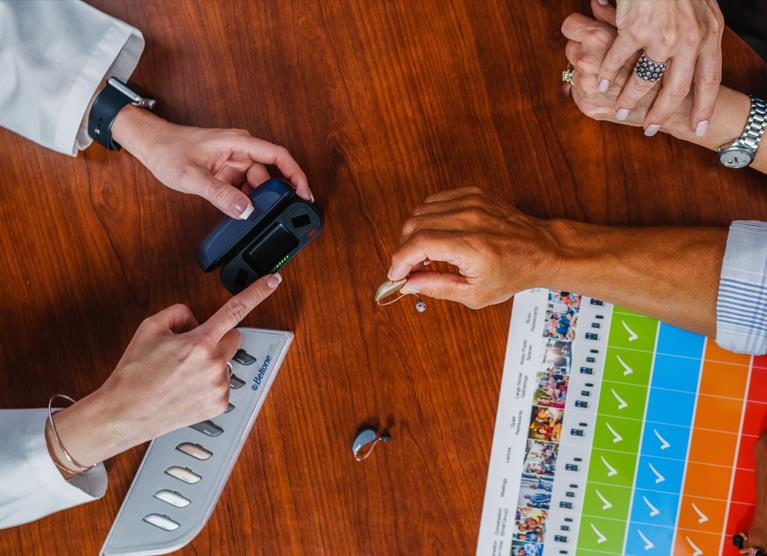
Step-by-Step Setup Guide
Pairing your hearing aids for the first time may feel intimidating, but you generally only need to do it once per device.
Important Pre-Setup Tips
- Make sure your hearing aids are fully charged or have fresh batteries.
- Turn on Bluetooth on your smartphone.
- Keep your hearing aids and phone close together during pairing.
- To enable pairing mode, restart your hearing aids:
- Rechargeable models: Place them in the charger for a few seconds, then remove them.
- Battery-powered models: Open and close the battery door.
Pairing with iPhone (iOS)
- Open Settings on your iPhone.
- Tap Accessibility.
- Under “Hearing,” select Hearing Devices.
- Restart your hearing aids to put them in pairing mode.
- Wait a few seconds for your hearing aids to appear under “MFi Hearing Devices.”
- Tap the name of your hearing aids.
- Tap Pair on the pop-up. If you wear two hearing aids, you may need to tap Pair twice.
Once paired, you can manage microphone, streaming, and preset options in both the app and your iPhone settings.
Pairing with Android (ASHA-enabled Devices)
Menu names may vary by manufacturer, but the process is similar:
- Open Settings.
- Tap Connected devices or Connections, then Bluetooth.
- Restart your hearing aids to put them in pairing mode.
- Select Pair new device (or similar).
- Choose your hearing aids from the list.
In some cases, it’s easier to install the manufacturer’s companion app first and follow its on-screen instructions for pairing.
Setting Up a TV Streamer
If your hearing aids came with a TV adapter:
- Plug the TV streamer into a power outlet and connect its audio cable to your TV’s audio output.
- Put your hearing aids into pairing mode and place them near the TV streamer.
- Press the streamer’s pairing button; indicator lights usually change when pairing is complete.
- To listen, switch your hearing aids to the “TV” or “streamer” program using your app or the button on your devices.

Daily Use Scenarios: Living With Wireless Audio
The Restaurant Scenario
Problem: Background noise makes it hard to hear the person across the table.
Solution: Use your app to switch to a “Restaurant” or “Noise” program, adjust microphone focus toward the person you’re speaking with, or use a remote microphone accessory placed near them to stream their voice directly to your hearing aids.
The Commute (Car or Train)
Problem: Engine or road noise drowns out radio, podcasts, or calls.
Solution: Stream audio directly from your phone to your hearing aids for clearer sound. For calls, use hands-free features so you can keep your hands on the wheel and eyes on the road.
The Quiet Evening at Home
Problem: The TV volume that works for you is too loud for others.
Solution: Use a TV streamer or compatible TV to send audio directly to your hearing aids, allowing you to listen at your ideal volume while others use the speakers at a comfortable level.
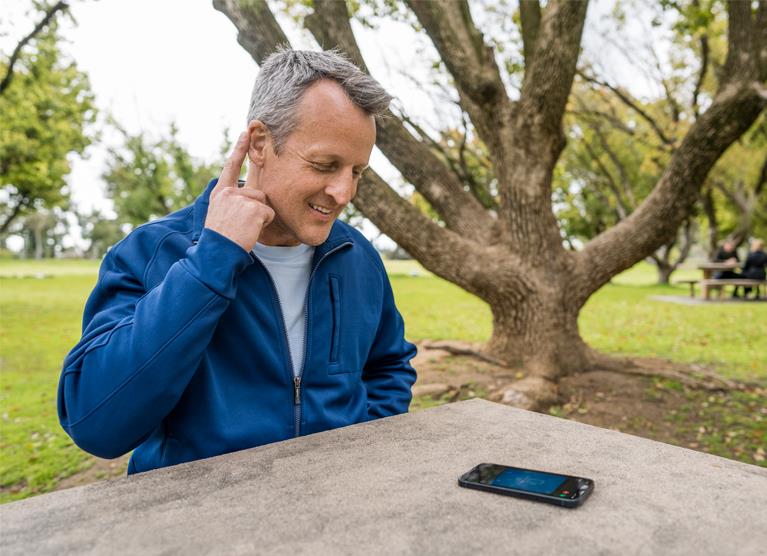
Troubleshooting: When Technology Glitches
Even with the best devices, Bluetooth can sometimes misbehave. Here are some common issues and solutions.
Problem 1: Only One Hearing Aid Connects
Try this:
- Turn Bluetooth off on your phone, wait about 10 seconds, then turn it back on.
- Restart both hearing aids.
- If that fails, “Forget” or remove the hearing aids in your Bluetooth settings, then repeat the pairing process.
Problem 2: Static or Crackling Audio
Possible causes: Wireless interference or physical obstructions (e.g., your phone in a back pocket far from the hearing aids).
Solution: Move your phone closer to your body’s midline or to a front pocket. Check whether other Bluetooth devices nearby are interrupting the connection.
Problem 3: Battery Drains Too Quickly
Context: Continuous or frequent streaming uses more power.
Solution:
- Carry spare batteries, or place rechargeables in the charger for short top-ups when possible.
- Ensure your hearing aids aren’t stuck in a streaming mode once you’re done with calls or media.
Problem 4: Notifications Are Too Loud or Annoying
Solutions:
- On iPhone: Go to Settings > Sounds & Haptics to adjust or disable certain system sounds. You can also use the side switch to mute alerts temporarily.
- On Android: In Bluetooth or app settings, choose which notifications are streamed, or use Do Not Disturb mode when needed.
Problem 5: The App Can’t Find the Hearing Aids
Try this:
- Close and reopen the app.
- Toggle Bluetooth off and back on.
- Check if the hearing aids are connected to another device already (e.g., a tablet or second phone) and disconnect them there before reconnecting.
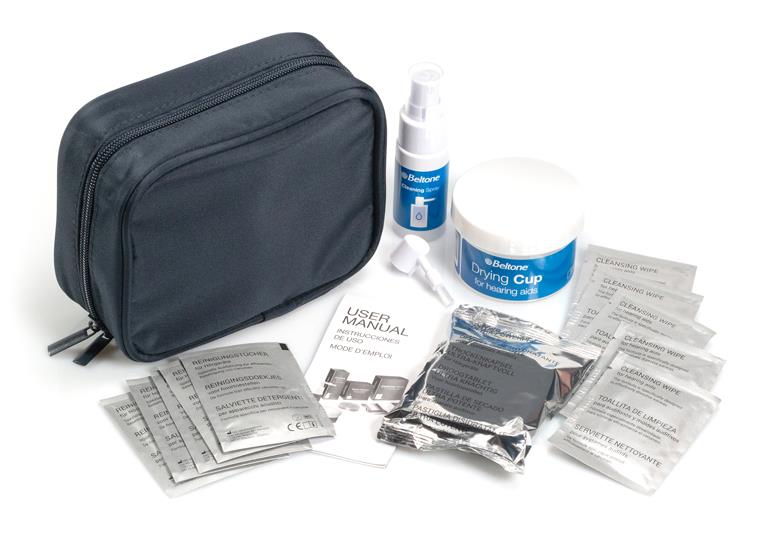
Care and Maintenance for Bluetooth Hearing Aids
Proper care helps keep both the audio quality and Bluetooth functions reliable.
- Protect from moisture: Use a drying kit or dehumidifier at night, especially if you live in a humid climate or sweat frequently.
- Clean charging contacts: For rechargeable devices, gently keep charging contacts free of debris so they charge consistently.
- Keep firmware up to date: Ask your hearing care professional about software updates—especially after phone operating system updates—to maintain compatibility and performance.

Cost and Access: OTC vs. Prescription Bluetooth Hearing Aids
When shopping for Bluetooth-capable hearing aids, you’ll encounter both prescription and over-the-counter (OTC) options.
Prescription Bluetooth Hearing Aids
- Fitted and programmed by a licensed hearing care professional.
- Often include advanced features, stronger support for complex hearing losses, and comprehensive follow-up care.
- Higher up-front cost, but typically bundled with professional services and adjustments.
OTC Bluetooth Hearing Aids
- Available directly online or in stores for adults with perceived mild hearing loss.
- Generally lower cost than prescription devices.
- Setup and troubleshooting are primarily your responsibility; Bluetooth reliability and feature quality can vary.
Insurance note: Some insurance plans or benefit programs may help cover prescription hearing aids. Coverage usually applies to medically prescribed devices, regardless of whether they include Bluetooth. Always confirm your benefits with your plan and provider.

Embracing the Connected Future
Bluetooth hearing aids can simplify daily communication and make staying connected more intuitive. Whether it’s:
- Hearing loved ones more clearly on calls
- Enjoying TV or music at a comfortable level
- Making quick, discreet adjustments through an app
—these features are designed to fit seamlessly into your life.
It’s normal for the setup process to feel unfamiliar at first. Focus on the features that matter most to you—such as TV streaming, hands-free calling, or easier phone conversations—and build from there. Reach out to your hearing care professional, manufacturer support, or a tech-savvy friend if you need backup while you’re learning.
With a little practice, using Bluetooth hearing aids becomes second nature, giving you greater independence, confidence, and enjoyment in your everyday listening.
Frequently Asked Questions
Sources
- Bluetooth SIG (Special Interest Group), “Bluetooth Low Energy & Auracast”
- Apple Support, “Use Made for iPhone hearing devices”
- Android Help, “Connect hearing aids to your Android device”
- American Speech-Language-Hearing Association (ASHA), “Hearing Aids: Types and Technology”

Take Online Hearing Test
Take our free at-home hearing loss test as a first step on your journey to better hearing.
