

Remote Control Hearing Aids
June 26, 2026 Adjusting to new hearing aids is a journey. When you first start wearing them, it is completely normal to feel a bit overwhelmed by the new sounds around you. As you go through your day—from a quiet living room to a busy grocery store or a loud family dinner—you may notice that the volume or settings that felt just right earlier no longer feel as comfortable.
This is very common—and it’s exactly why having a remote control for yourhearing aids can make such a difference in everyday life. A remote gives you the ability to adjust your hearing aids quickly and discreetly, without reaching up or struggling with tiny buttons on the devices themselves. Whether you’re choosing your first pair of hearing aids or looking for ways to get more from the ones you already have, understanding how remote control options work can help you feel more confident and independent in any listening situation.

What Is a Hearing Aid Remote Control?
A hearing aid remote control is an accessory or application that allows you to change the settings on your hearing aids from the palm of your hand. Instead of drawing attention to yourself by reaching behind your ear to adjust the volume, you can simply press a button or tap a screen.
There are generally two main ways to control your hearing aids remotely today:
- A Smartphone Application: Turns the phone you already carry into a highly advanced remote control.
- A Dedicated Physical Remote: A small, standalone accessory designed specifically to communicate with your hearing aids.
Both options are designed to provide a discreet way to manage your hearing experience, ensuring you can always adapt to your environment without drawing attention.

The Beltone HearMax App: Your Smartphone as a Remote
For many wearers, the most convenient way to control their hearing aids is by using a device they already have in their pocket or purse: their smartphone. The Beltone HearMax app transforms your compatible smartphone into an intuitive, user-friendly remote control interface. When you are sitting in a restaurant and need to reduce background noise, opening the app simply looks like you are checking a text message. No one around you needs to know that you are actively adjusting your hearing aids.
Key Features of the App
- Volume and Program Adjustments: With a quick swipe on your screen, you can turn the volume up or down and switch between different environmental programs your hearing care partner has custom-set for you.
- Sound Enhancer: Fine-tune the speech focus, noise reduction, and wind noise reduction. If you are having trouble hearing a companion across a noisy table, you can adjust settings to focus more directly on the speech coming from in front of you.
- Find My Hearing Aid: The app includes a location feature that can help you track down a misplaced hearing aid, providing peace of mind and saving you from unnecessary worry.
- Direct Streaming: Stream phone calls, podcasts, music, and more directly to your compatible hearing aids—your hearing aids act like high-quality wireless headphones, further enhancing your daily routines.

The Beltone Remote Control Accessory
While smartphone apps are incredibly popular, they are not the right choice for everyone. Some wearers prefer not to rely on a phone, or they simply want a device with physical, tactile buttons they can feel without having to look at a screen. For these individuals, a standalone Beltone Remote Control is an excellent solution. This dedicated hearing aid accessory is small enough to slip into a pocket or attach to a keychain, and is designed to be as simple and intuitive as possible.
Benefits of a Physical Remote
- Tactile Navigation: The physical buttons are easy to locate by touch. Once familiar with the layout, you can comfortably adjust your volume or change programs while the remote is still resting in your pocket—the ultimate discreet control.
- Simplicity: No menus to navigate, no screens to unlock, and no software updates to worry about. Simply press the large, clearly labeled buttons to make the changes you need.
- Dedicated Battery: Because it is a separate device, using the physical remote does not drain your smartphone's battery. It runs on its own power source, ensuring you always have access to your controls when you need them.

Daily Use Scenarios: Ways to Use a Remote Control With Your Hearing Aids
Discovering how to comfortably and confidently use your hearing aids takes time, especially as you get used to new settings and environments. Here are some common daily situations where a remote control can enhance your listening experience.
Family Gatherings
Social occasions can be lively and sometimes overwhelming. If conversation shifts from a quiet kitchen to a bustling patio, you can quickly lower or raise the volume, or switch between programs designed for different environments—without drawing attention.
Dining Out at Restaurants
Restaurants often mean background music and clattering dishes. A remote lets you adjust the volume on the spot or select a program that helps you better separate voices from noise. With just a tap or press, you can find the setting that works best for you.
Phone Calls and Video Chats
When you receive a call or join a video conversation, you can boost the volume or switch to a program optimized for calls—quickly, before or during the conversation, so you do not miss important details.
Watching Television and Media
With a remote control, you can easily fine-tune your hearing aid's settings to suit what you are watching. Some remotes or apps offer a program specifically for TV, helping voices stand out and making your favorite shows more enjoyable.
Spending Time Outdoors
Environmental sounds like wind or passing traffic can sometimes be distracting. Your remote control allows you to switch to an outdoor program that helps minimize disruptive noises so you can focus on the moments that matter.
Public Transportation or Travel
Traveling on a bus, train, or plane brings a unique mix of sounds. Rather than removing your hearing aids or tolerating discomfort, use the remote to lower background noise or select a travel program designed to make announcements and nearby conversation clearer.

Pairing and Compatibility: Getting Started
The idea of pairing a remote or an app with your hearing aids might sound technical, but the process is designed to be straightforward—and you do not have to figure it out alone. Your hearing care partner will guide you through the initial pairing process during your fitting appointment, verify that your devices are communicating properly, and ensure all your personalized settings are loaded and ready to go.
If you choose the Beltone HearMax app, your hearing care partner will help you check compatibility with your current smartphone, walk you through downloading the app, and practice with you in the office so you are comfortable adjusting the volume and changing programs before you head home. If you opt for the standalone remote, they will pair it to your hearing aids before you leave the clinic and demonstrate every button so it feels intuitive from day one.
Troubleshooting Common Remote Control Issues
Even with the most user-friendly technology, you might occasionally encounter a small hurdle. Here are a few simple troubleshooting steps to take if your remote control setup is not working as expected.
- Check the Batteries: If your hearing aids are not responding, check the batteries in all devices first. Low batteries may cause hearing aids to turn off their wireless connection to save power for basic functions.
- Restart Your Devices: Try turning your hearing aids off and back on again to refresh their system and prompt them to search for paired accessories. If using the app, restart your smartphone as well.
- Check the Wireless Connection: Ensure your phone's Bluetooth is turned on—it can be accidentally switched off during routine phone use.
- Keep the App Updated: Check your phone's app store for available updates. Keeping the app current ensures you have the latest improvements and reliable connectivity.
If you try these steps and still experience difficulties, your hearing care provider is always available to help troubleshoot and make adjustments so you can get back to enjoying your day.

Reconnecting With the World Around You
Experiencing hearing loss does not have to mean a permanent change in your lifestyle. By utilizing a remote control—whether that is a dedicated physical remote or an advanced smartphone app—you give yourself the tools to confidently return to the activities you love.
You no longer have to worry about whether a restaurant will be too loud or a theater too quiet. With simple, discreet adjustments, you can modify your hearing aids to suit any environment. Schedule an appointment with your hearing care partner today to explore which remote control option is right for you.
Frequently Asked Questions (FAQ)
This article is for informational purposes only and does not constitute medical advice. If you have questions about hearing aid accessories or settings, consult your hearing care provider.

Take Online Hearing Test
Take our free at-home hearing loss test as a first step on your journey to better hearing.

Book Your Free Appointment

Reviewed By
Mindy Staller, AuD
Mindy Staller, AuD, is an Audiologist and Manager of Patient Experience and Sales Enablement with over 26 years of experience in hearing healthcare. She earned her bachelor’s degree in Communication Disorders from The Pennsylvania State University, her master’s degree in communication sciences with a concentration in Audiology from Temple University in Philadelphia, and her Doctor of Audiology from A.T. Still University in Mesa, Arizona. Mindy has extensive experience as a practicing audiologist and has held roles in corporate leadership, professional development, regional sales management, and clinical training. At Beltone, she is passionate about educating and mentoring hearing health professionals across the organization to ensure they provide the highest standard of patient care. Learn more by visiting her LinkedIn here.
Reviewed By
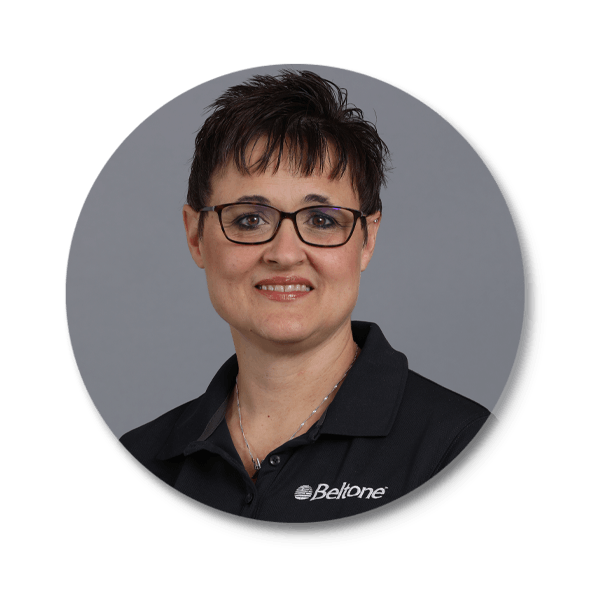
Kathy McGowan, AuD CCC-A, Doctor of Audiology
Kathy McGowan is the Manager of Managed Care Programs with Beltone Corporation . Kathy worked with the Professional Development Training Team as well as the Operations Team and Beltone Corporate Retail for 8 years before being promoted to her current position. Prior to joining Beltone Corporate, Kathy worked for 10 years as an Audiology Manager in a private practice. She has worked in many settings as an Audiologist including an ENT practice, a hospital, an Optical and Hearing Company, and in the Military, retiring as a LtCol. Kathy earned her Bachelor’s in Speech and Hearing and Master’s in Audiology from Ohio University in Athens, Ohio, and went on to receive her Audiology Doctorate from A.T. Still University School of Health Sciences. Kathy is currently licensed in seven states.